
In 2022, I had the delight of learning to use Dr. Benjamin Hackbarth’s software AudioGuide. It’s a collection of python scripts that empower composers to perform concatenative synthesis – a technique in which the computer will approximate a target sound sample using sound segments from a pre-specified corpus of samples. This technique is sometimes called “musaicing” and can allow composers to answering questions such as “what would this recording sound like if it were ‘played’ by an accordion or tam-tam or collection of percussion noises?” If you’re wondering what this is all about, consider taking a look at Dr. Hackbarth’s talk on the topic and on AudioGuide.
Using the Command Line
AudioGuide can be run from the command line on a Mac machine with Python, the numpy library, and Csound installed. While the command line (the Terminal app) can seem intimidating to unfamiliar users, the OSX operating system has some helpful tricks for making it easy to use AudioGuide.
For example, a common operation in the Command Line is navigating to a different folder; this is accomplished by using the cd command, where cd stands for “change directory.” While it can be a little cumbersome to type out or copy-and-paste long directory paths, it’s actually possible to simply drag-and-drop a directory or file right into the terminal on a Mac, making it easy to use AudioGuide by just clicking and dragging on files and directories.
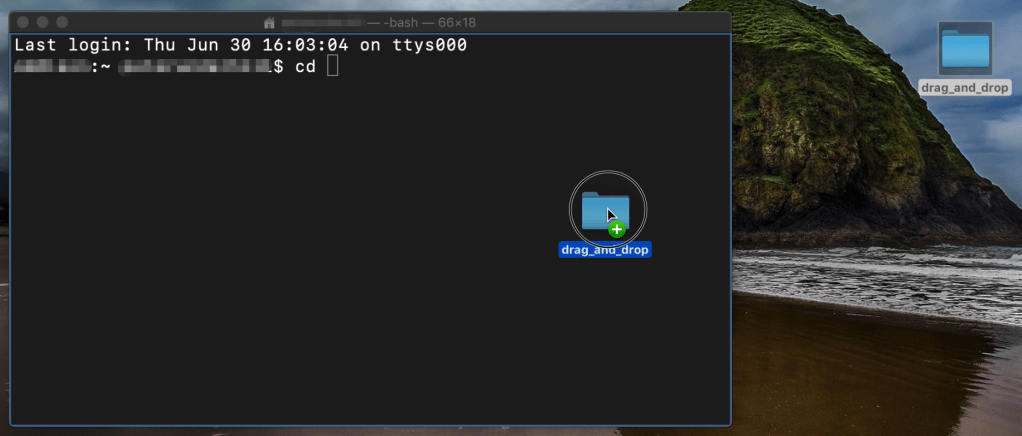
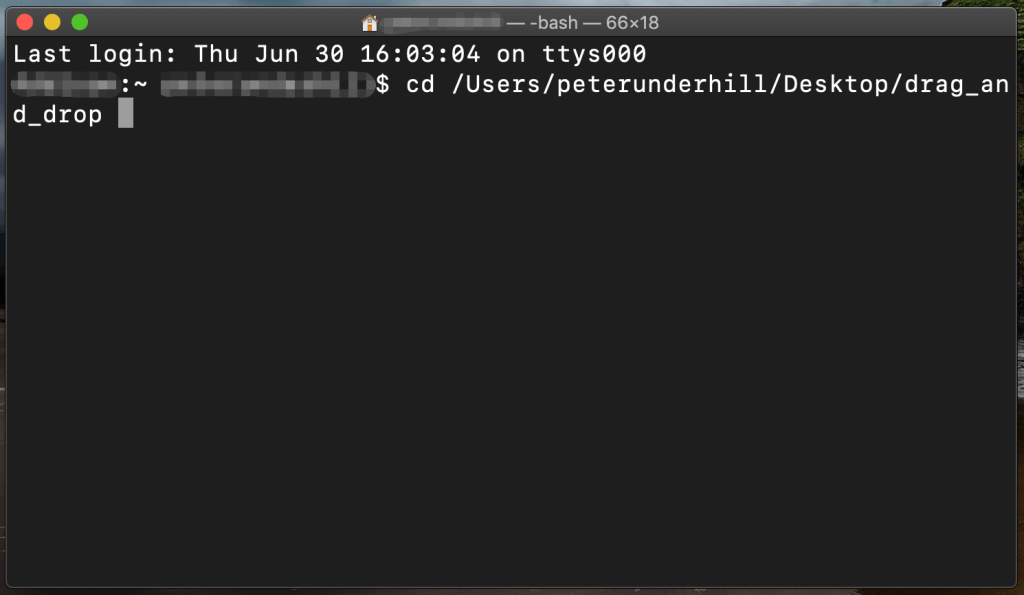
Using AudioGuide
Dr. Hackbarth has created an extremely helpful series of tutorials that can assist users in navigating this powerful software. Using AudioGuide consists of two primary operations. The first is segmentation – this is the process by which an a target sample of audio is subdivided into portions that AudioGuide can later approximate with samples from the corpus. After running the segmentation python script on a target sound file, AudioGuide produces a simple txt file that (among other things) lists the onset and offset time of the segment:
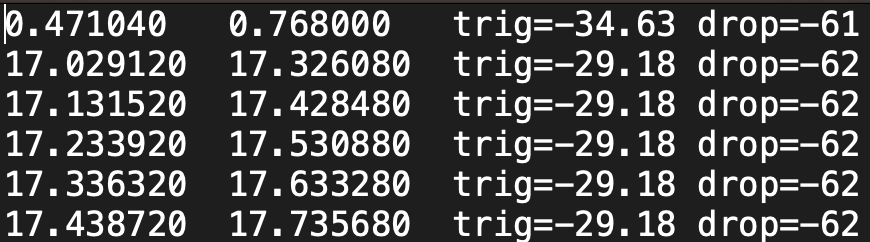
Incidentally, these segmentation files can be very useful for applications besides concatenative synthesis with AudioGuide. The data from the segmentation text file can be imported into Audacity or OpenMusic to assist in analyzing recorded sounds in those environments.
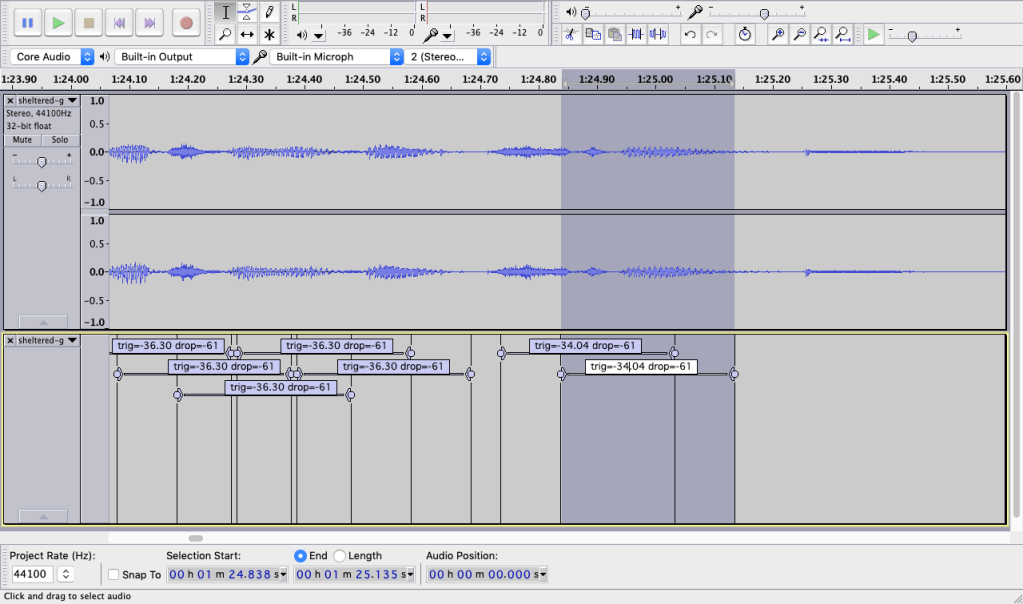
After running the segmentation command, the user can specify the parameters for the synthesis process using an option text file. The option file below comes from the example files included with AudioGuide:
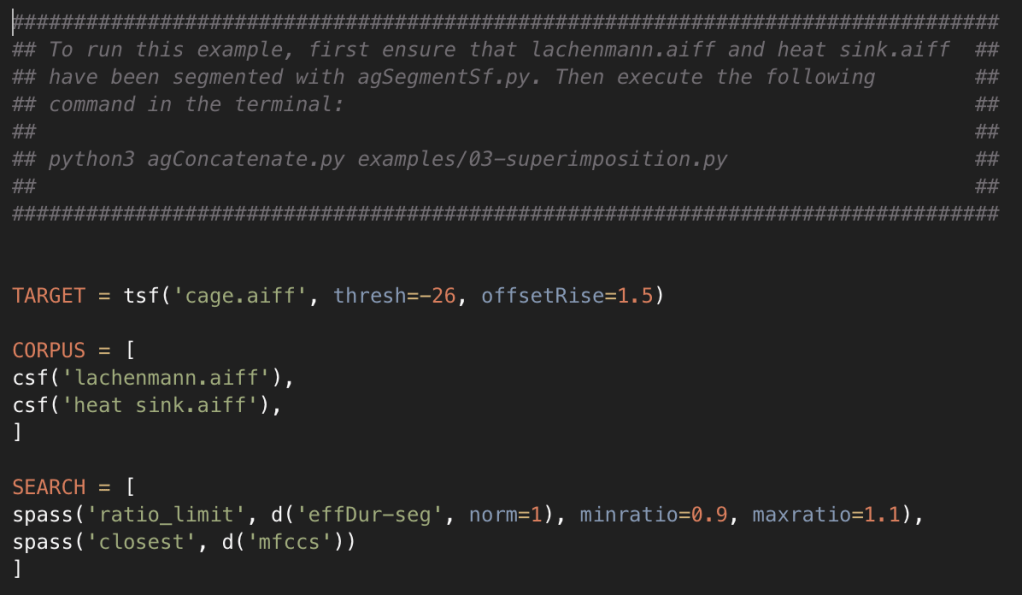
This option file for synthesis will have AudioGuide attempt to recreate a recording of John Cage speaking by using two corpus selections – recorded sounds of a heat sink and an excerpt from a work by Helmut Lachenmann. The final portion of the option file defines two “search passes” – where each search pass is a sort of filter or sieve that is used to pick the best audio segments from the corpus according to criteria that the user specifies. In this example, the first search pass excludes all audio segments from the corpus whose duration does not lie between 90% and 110% of the duration of the target segment that’s being approximated. Those audio segments that do fit this criteria are then passed along into the second search pass, which picks the single audio segment of the group that most closely matches the target segment’s timbre.
Finally, the user can run a simple command in the Terminal to start the concatenation script using the specified option file. AudioGuide will run the concatenation, outputting an audio file as well as several other files that provide statistical information about the result – or even an annotated analysis that can be opened via the Bach library in Max. In addition, the user can decide to run the concatenation script in interactive mode, forcing AudioGuide to re-generate the output files each time the option file is saved and enabling the user to work in a rapid testing environment, auditioning changes to the option file on-the-fly.
In some of my recent ambisonic work, I’ve made use of AudioGuide’s ability to export a Reaper project file, allowing me to run a concatenation of a target sound file and then immediately spatialize the results using the IEM plug-in suite. The Reaper export from AudioGuide can optionally distribute overlapping corpus sounds on various tracks to allow for quick sampling of spatialization options.
• • •
I’d love to know if you’ve explored AudioGuide or have worked with concatenative synthesis – it’s an incredible technique and I’m eager to hear more works utilizing this technology!

